
Deploying Configurations to BrightServer
Contents Hide
After developing a BEP in BrightBuilder, it may be deployed and released to a BrightServer instance for testing or production purposes via BrightBuilder. BrightBuilder's deployment mechanism targets a server which is currently running - typically as a service, and thus closer matches a production environment's configuration.
Deploying a BEP configuration may be performed by the following steps:
- Verify the server's IP address and port number.
When running, BrightServer will be connectable via these details.
The port number is 8080 by default, but may be modified by the port
number in the Server Settings
> Server Ports panel for the server

With these details verified, proceed to deploy the definition to the BrightServer instance. The steps for this process is detailed in the BrightServer Projects > Deploy Configuration to Server chapter of this document.

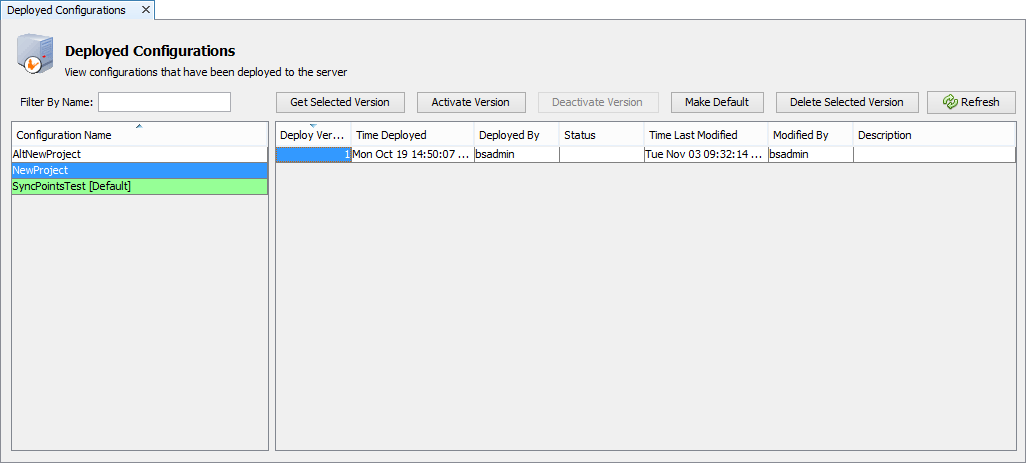
After deployment, activate the BEP on the server. This may be performed under the Deployed Configurations panel of the server, which will display all deployed BEP files located in the server configuration repository, and allow them to be activated/deactivated, and finally assigned to users.
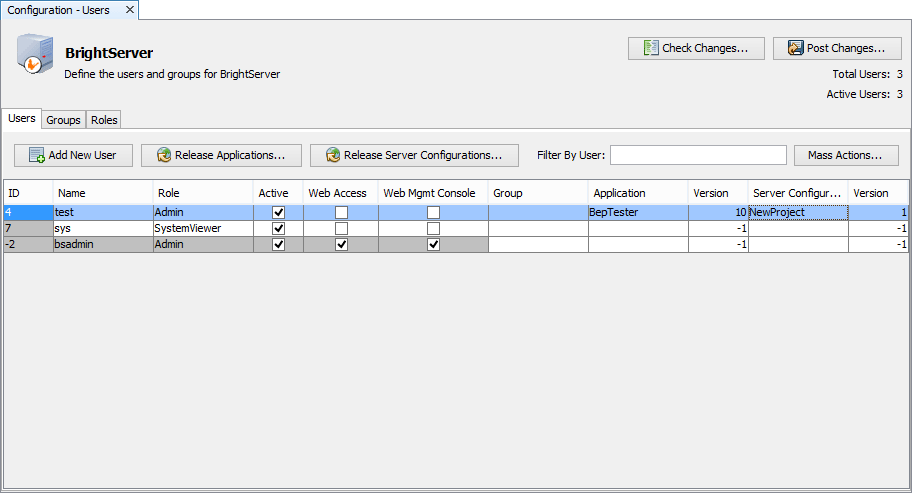
Once deployed, the server configuration may be assigned for users via the Users configuration node of the server. This step is not necessary if the configuration is set to 'default' and the configuration name is left empty for the user account.
For more information on managing BrightServer configurations, and deployment process, please refer to the BrightServer > BrightServer Project Deployment section of this document.