
In order to connect to BrightServer, BrightBuilder or BrightForms must be able to access BrightServer's port and IP address. In order to find and configure these values of the BrightServer Instance's machine, please refer to the following sections:
If BrightBuilder or mobile device is on the same intranet as the BrightServer Instance, connect to it using the local IP address of the server. This may be found using the following steps (on Windows):
Open the Run dialog with Win+R.
Type in 'cmd' and click OK, which will open the Windows Command Prompt.
In the command prompt, type "ipconfig".
Results will appear - use the IP address listed for the connected adapter under the 'IPv4 Address' field when specifying the IP address for BrightBuilder or BrightForms on the same network.
By default, Windows Firewall will block incoming ports to machines. Devices running BrightForms and BrightBuilder must be able to connect to BrightServer via its ports for synchronisation and other settings to operate successfully.
As such, in order to allow connectivity to the server, perform the following:
Open the Run dialog with Win+R.
Type in 'wf.msc' and click OK, which will open the 'Windows Firewall with Advanced Security' panel.
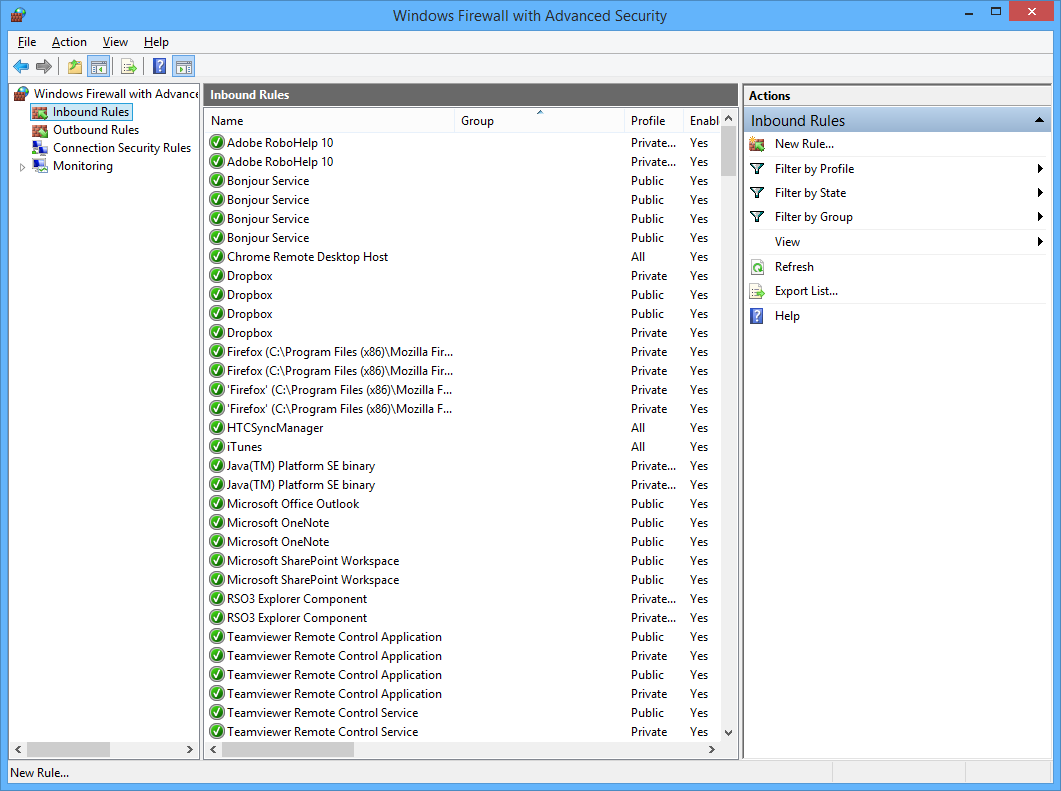
In this panel, locate and open the 'Inbound Rules' node on the left-hand side panel.
Under the right-hand side panel, locate the 'New Rule ...' option to open the 'New Inbound Rule Wizard'. In this wizard, enter in the following details for each slide:
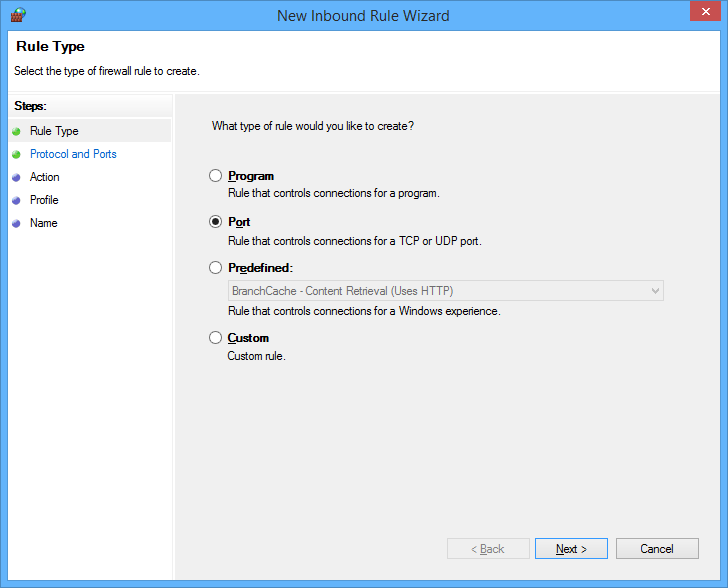
Rule Type: Port
Protocol and Ports: TCP, <BrightServer's Ports> e.g. 8080, 8443, 12921 (default)
Action: Allow the connection
Profile: <All ticked>
Name: <BrightServer Name/Description> e.g. BrightServer